01
Supplier and client views
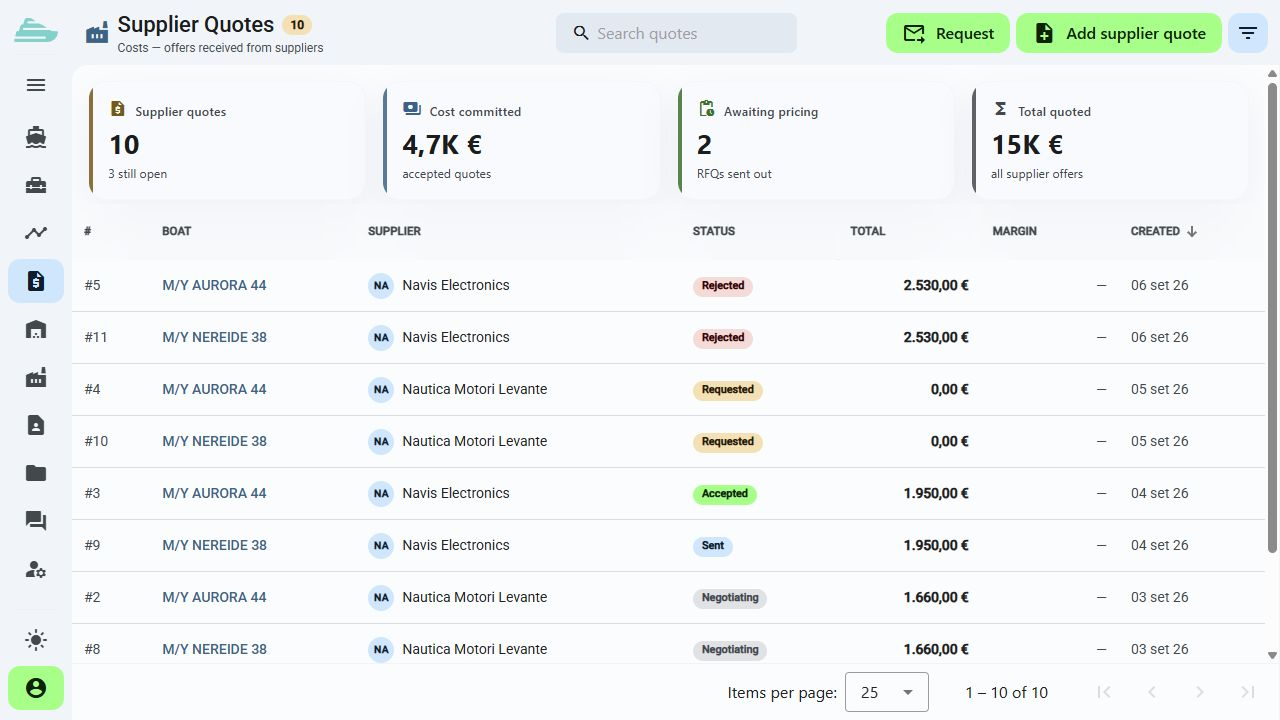
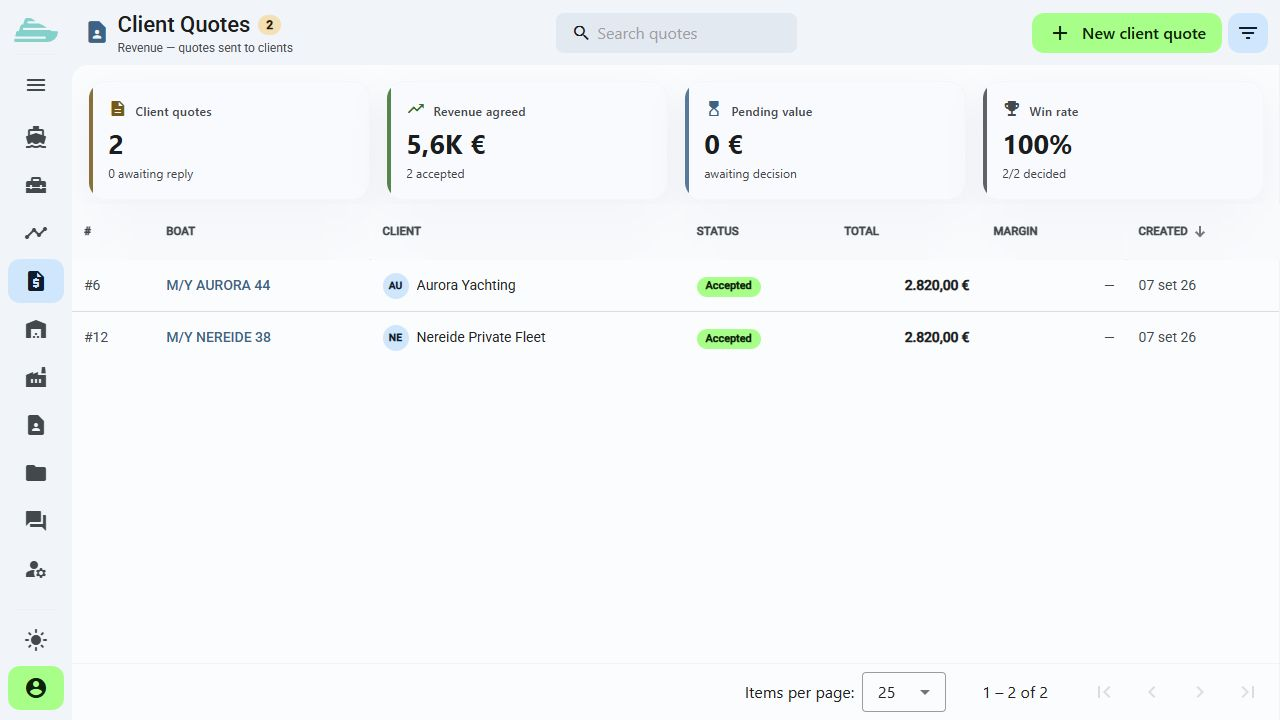
Review quotations in both commercial directions, with dedicated views for supplier proposals and client quotations.
Put commercial detail beside technical scope
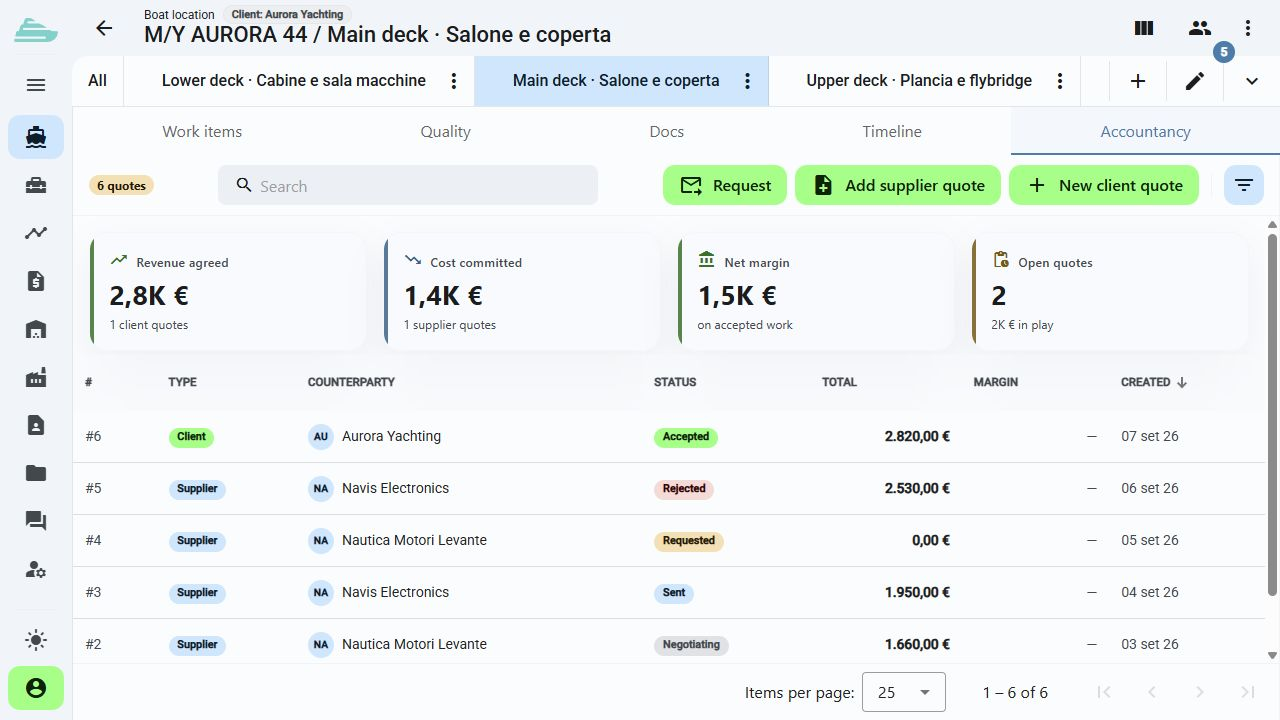
Review supplier and client requests and quotations in the accounts area. Keep the commercial context connected to the yachts and work items it covers.
See this workflow in a demoWhat you can do
Every commercial comparison retains its technical reference: what is included, which yacht it concerns and the proposal's current status.
01
Review quotations in both commercial directions, with dedicated views for supplier proposals and client quotations.
02
Attach work items to a proposal so its technical and commercial scope remain easy to understand.
03
Open a quotation to review amounts, description, references and status within its workflow.
04
Request, response, acceptance, rejection and cancellation make the commercial decision explicit.
05
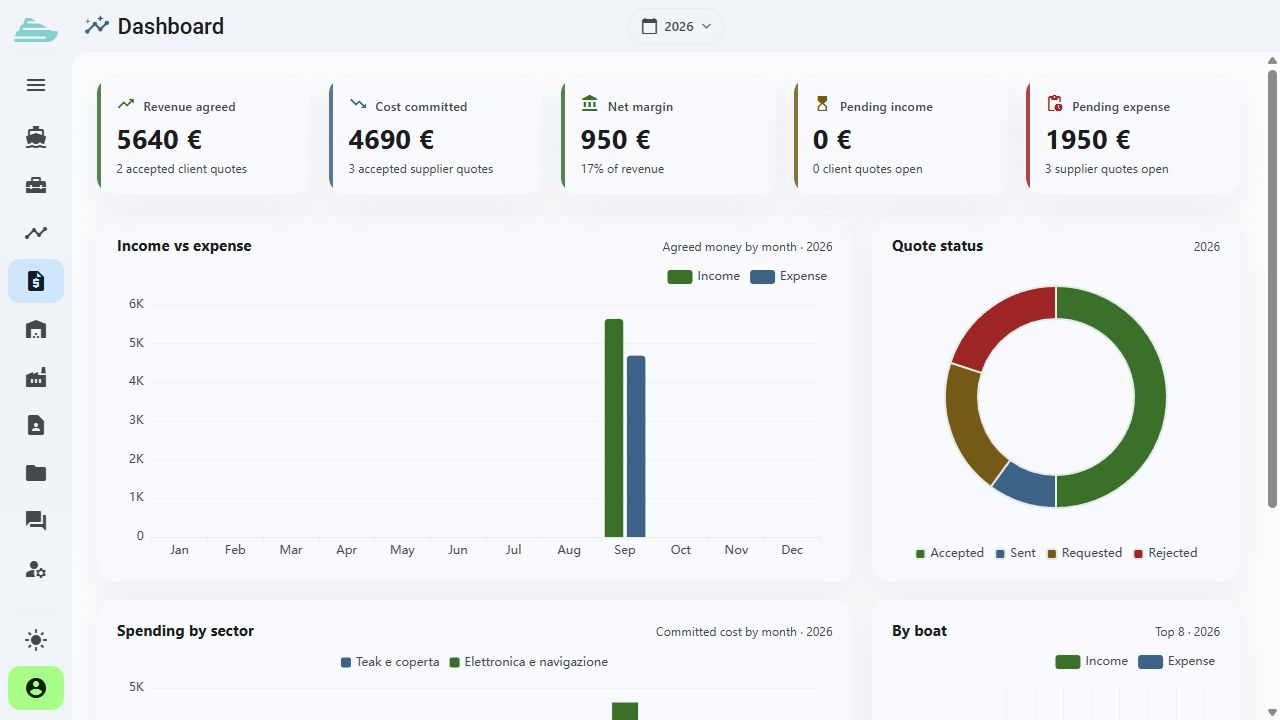
The accounts area brings together available quotation data and provides a route back to the underlying detail.
06
During the demo, we review your administrative systems, the data to exchange and the scope of any potential integration.
Operational workflow
Inside the product
Not an isolated screen: follow how data, people and decisions stay connected before, during and after the work.
Connected to the rest of the work
Platform
Use cases
Tell us how you currently manage work, quality and warranty cases. We will prepare a focused demo and define a practical first adoption path with you.