01
A record for every yacht
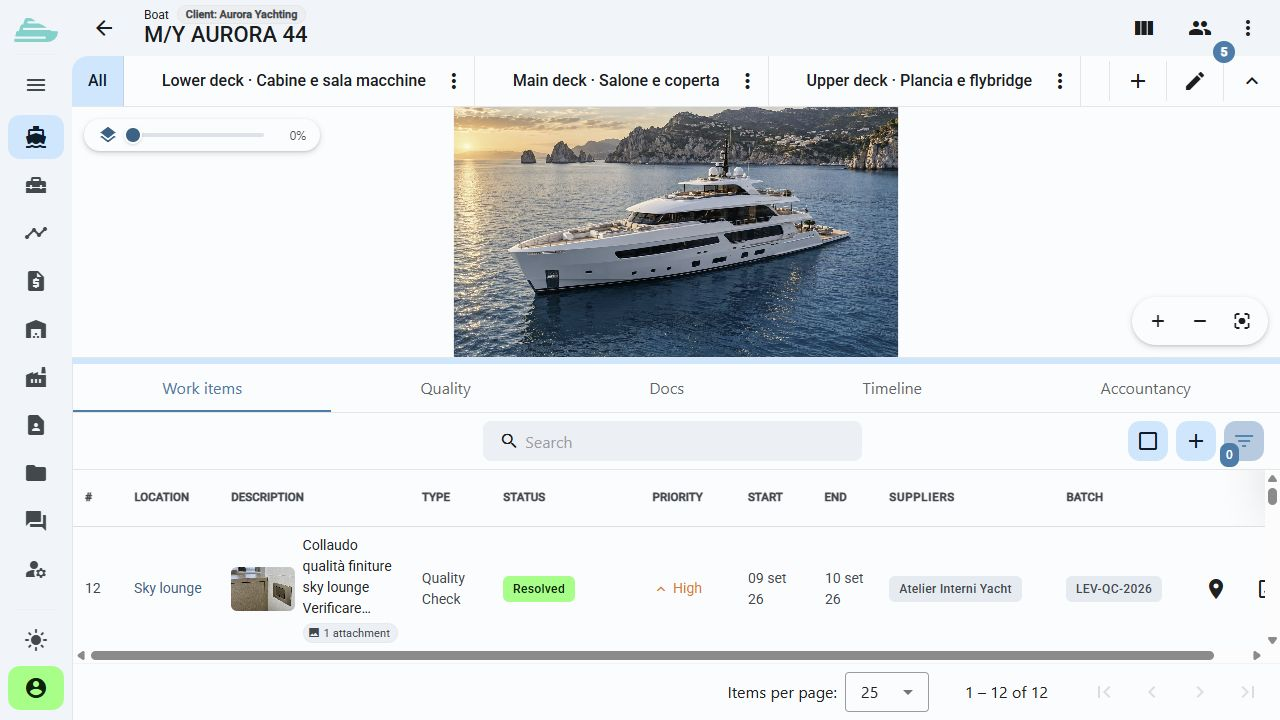
Name, image, description, client and manager identify the yacht. Work items and documents are available within its context.
Every observation has an exact location
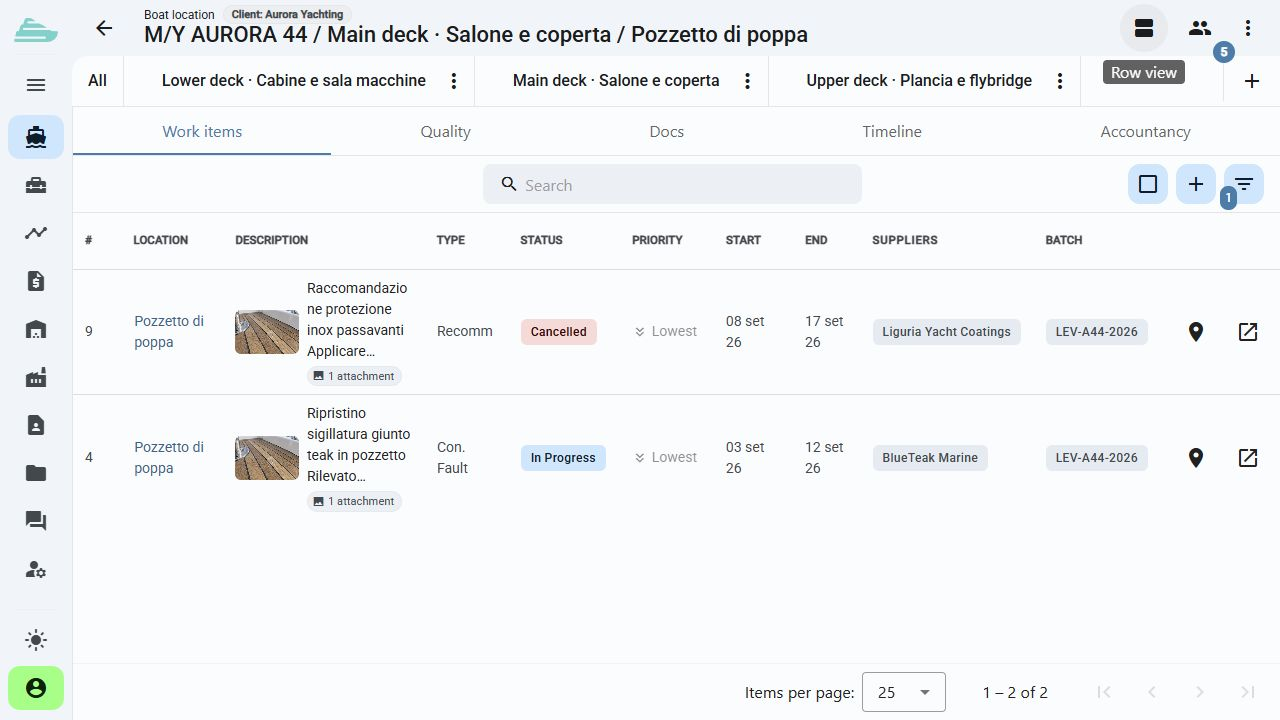
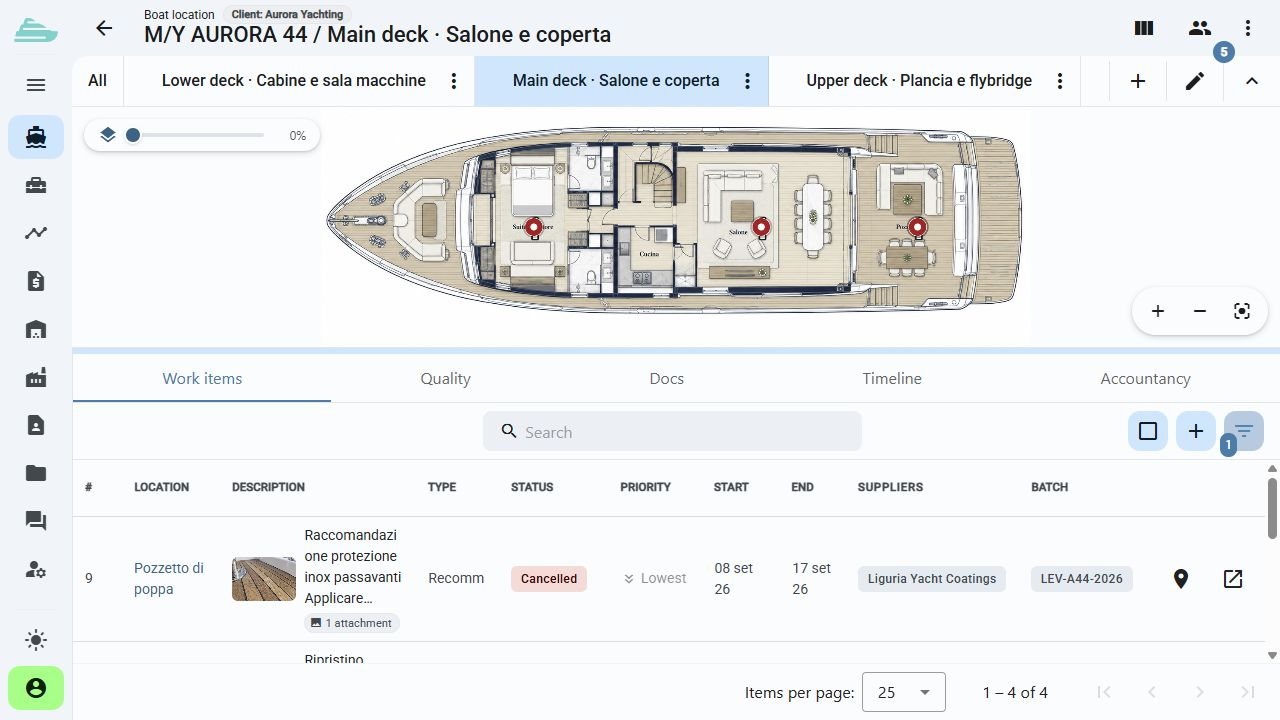
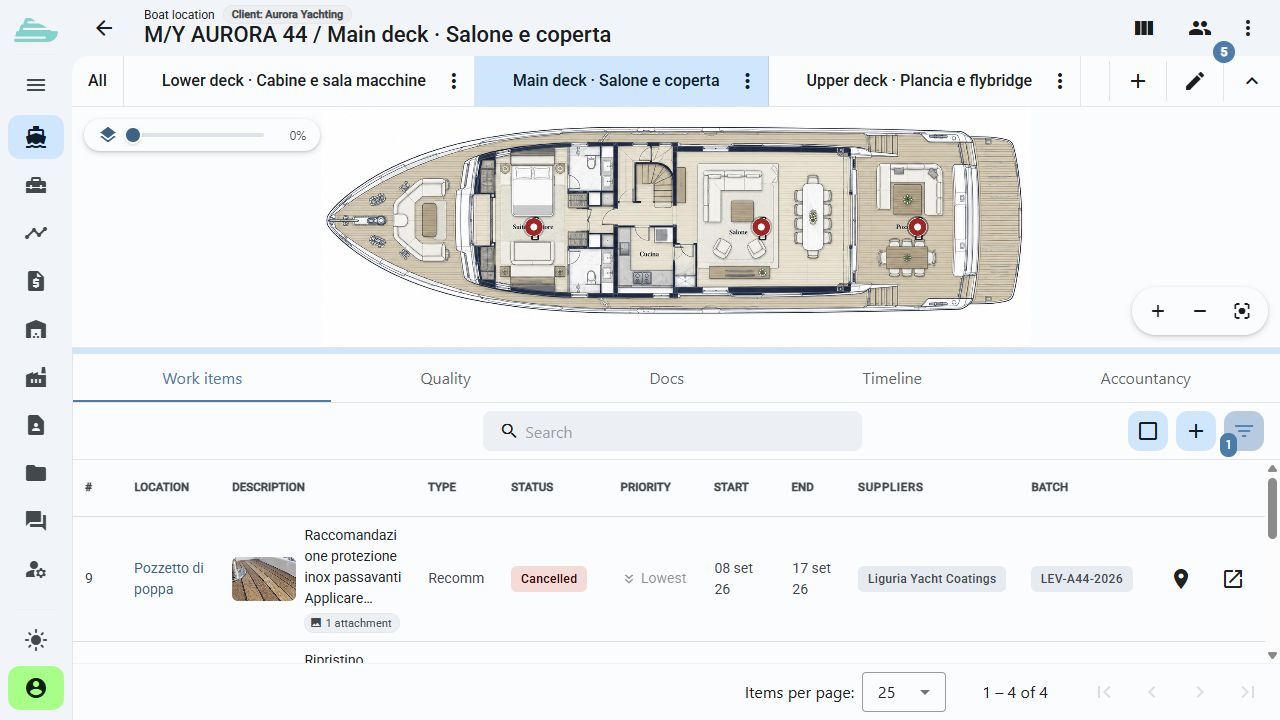
Organise your fleet and navigate decks, cabins and systems on the yacht's General Arrangement. Each observation stays connected to its location, photographs and assigned team.
See this workflow in a demoWhat you can do
Anyone arriving on board can find the affected area and the relevant information in the same operational context.
01
Name, image, description, client and manager identify the yacht. Work items and documents are available within its context.
02
Build a hierarchy that reflects the yacht, from the main deck and owner's suite to the engine room and individual spaces.
03
Connect selectable areas to the General Arrangement drawings. Open a location and create a work item with its position already attached.
04
Attach images, documents and subfolders to a location, keeping technical information beside the place where it is needed.
05
Assign users to a yacht with the appropriate role. The visible fleet follows the scope defined for each account.
06
Move from the yacht list to an onboard area and its related work while keeping a common reference for office and technical teams.
Operational workflow
Inside the product
Not an isolated screen: follow how data, people and decisions stay connected before, during and after the work.
Connected to the rest of the work
Platform
Use cases
Tell us how you currently manage work, quality and warranty cases. We will prepare a focused demo and define a practical first adoption path with you.