The supplier receives a scope by email while the work item changes elsewhere.
The assignment and quotation retain a reference to the same intervention.
Coordinate assigned suppliers, quotation requests, responses and cost information without separating the commercial discussion from the yacht intervention it concerns.
Build your tailored demoWe will model a supplier and quotation workflow around a representative work package from your organisation.
The day-to-day problem
The supplier receives a scope by email while the work item changes elsewhere.
The assignment and quotation retain a reference to the same intervention.
Comparing proposals means reopening files, messages and spreadsheets.
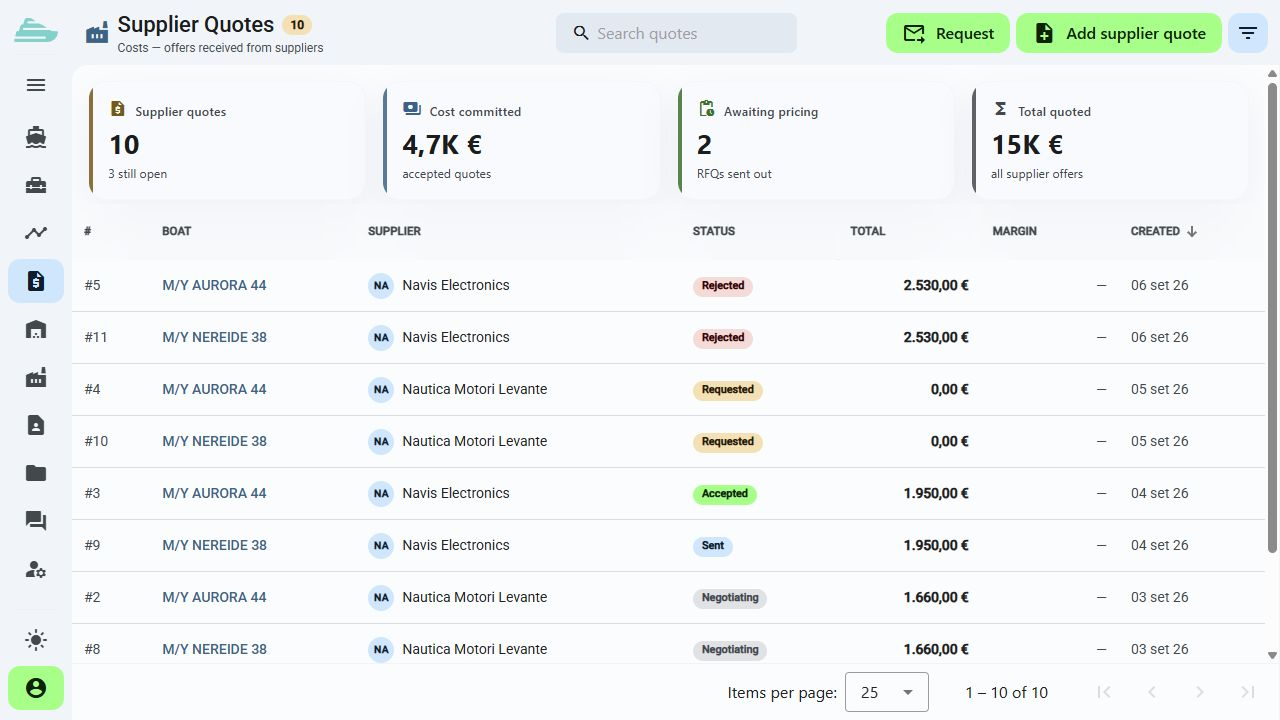
Requests, responses, amounts and statuses are available in connected records.
A commercial decision loses the technical detail that supported it.
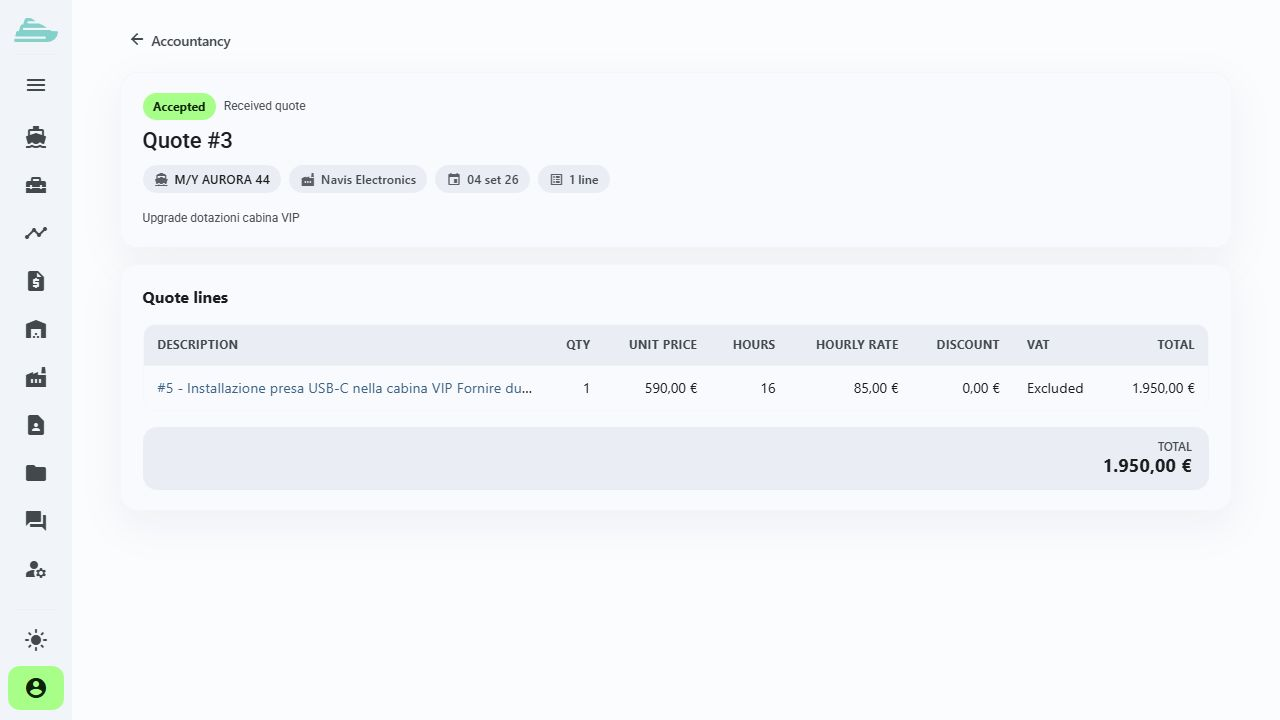
The accepted, rejected or cancelled proposal remains linked to its work scope.
The workflow we will explore together
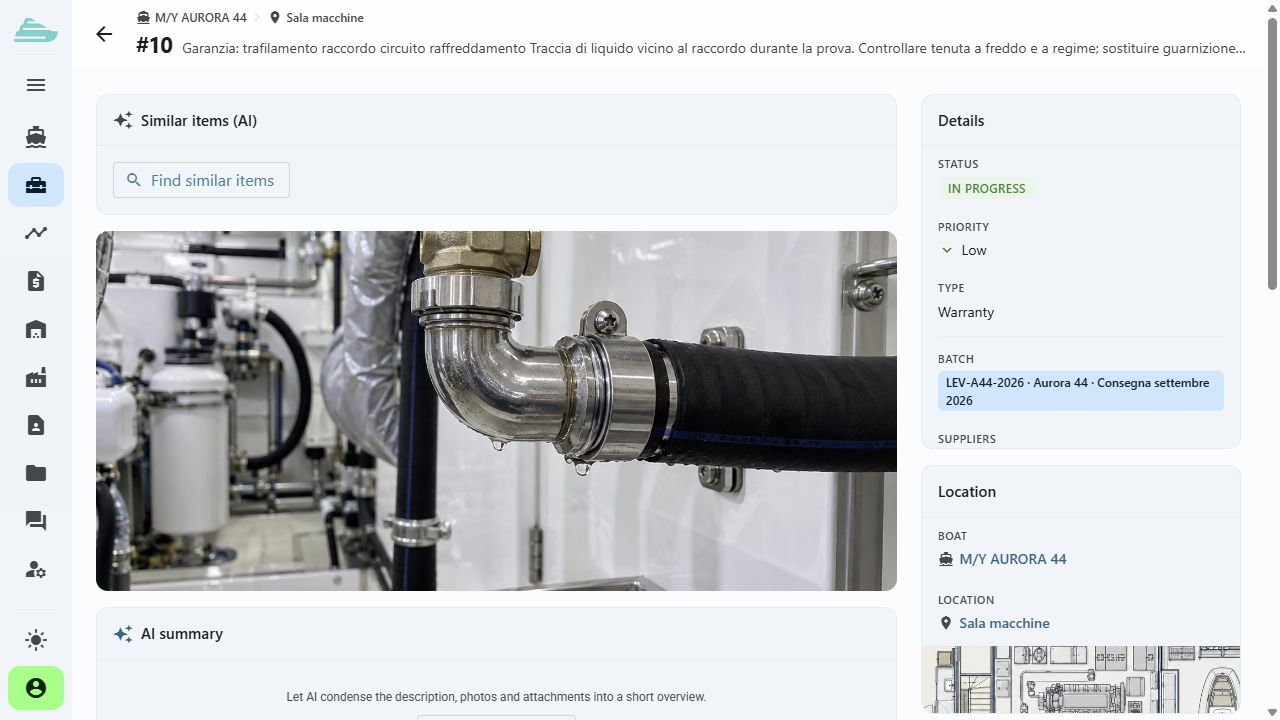
Record the intervention with its yacht, location, priority and assigned company.
Explore this featureCreate the request, receive the supplier response and review the proposal within its technical context.
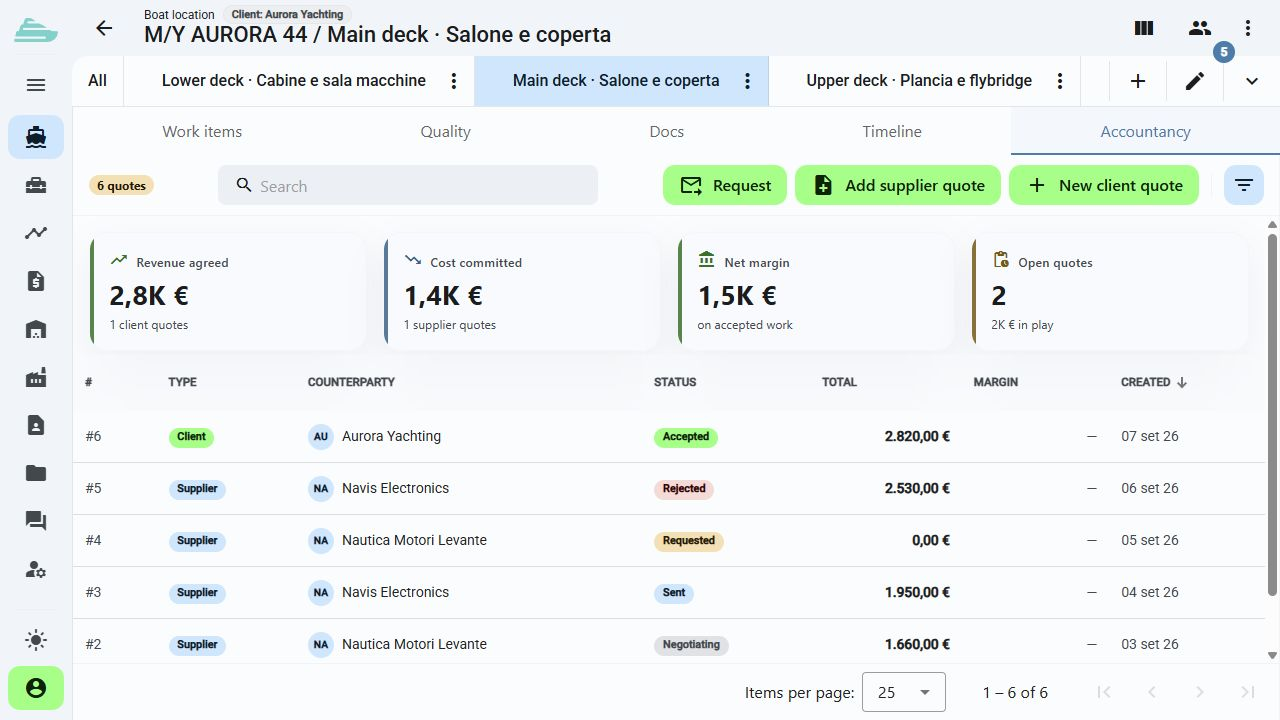
Explore this featureUse the quotation status and cost overview to keep the decision connected to the work item.
Explore this featureThe next step
Tell us how you assign suppliers, request quotations and review costs today. We will prepare the demo around that decision path.
There is no online purchase. After the discussion, we define the scope, timing and commercial proposal that fit your organisation.
Book a demo · Supplier and Cost Control
Before we talk
Supplier users work within a dedicated company scope. Visible yachts, work items and information depend on their assignments, role and permissions.
Yes. Quotations and requests can retain references to the work items they cover, keeping technical and commercial context together.
No. Sailify connects quotations, decisions and work context. During the demo, we assess how this workflow should sit alongside your administrative systems.