01
Chat within the platform
Conversations are available inside Sailify and retain a reference to the user who started them.
Ask questions in the context of the work
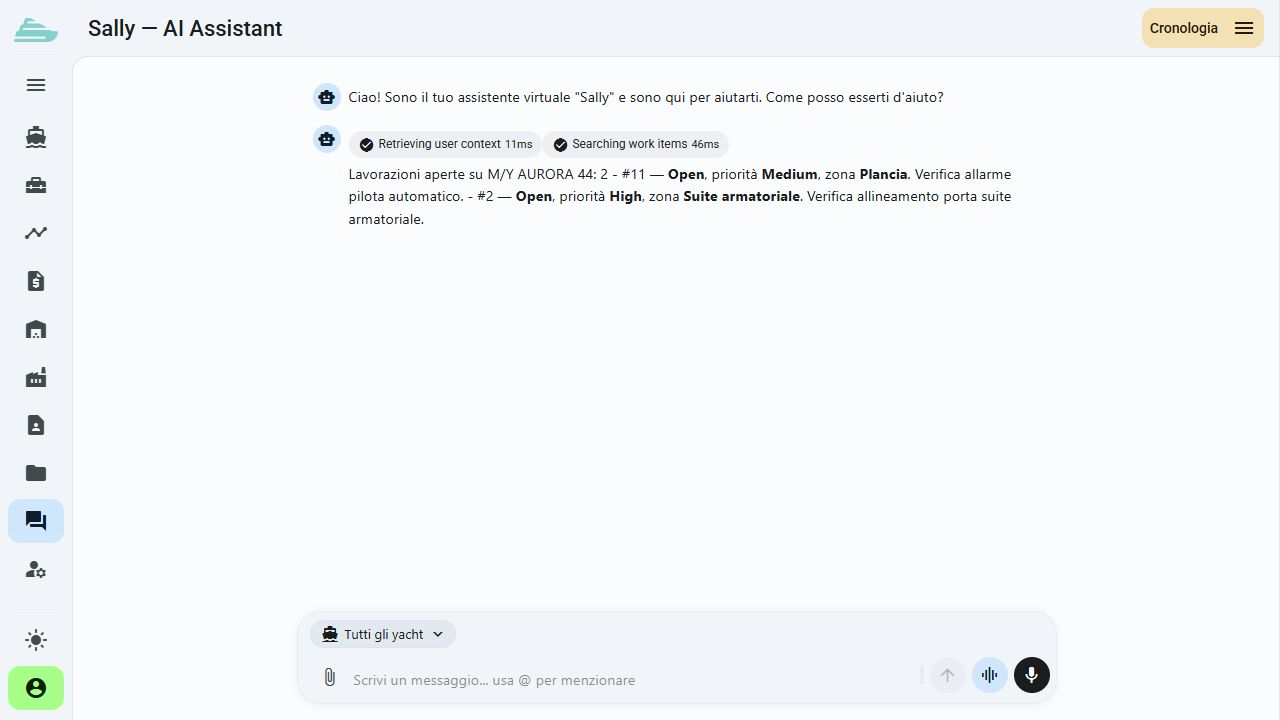
Sally is the AI assistant built into Sailify's operational context. The chat can retrieve information and prepare operations, with an explicit confirmation step for proposed actions.
See this workflow in a demoThrough chat or voice commands, Sally handles routine operations immediately and naturally: she finds documents, creates reports, analyses data, updates work-item status and prepares emails to suppliers or clients in any language. An always-on operational assistant for shipyard teams, crew and management.
What you can do
The conversation sits beside operational views and keeps the path from request to action open to review.
01
Conversations are available inside Sailify and retain a reference to the user who started them.
02
Ask about work items and operational references. Results depend on the available data and the account's access scope.
03
Operations prepared by the assistant include a dedicated step to confirm or cancel before proceeding.
04
During the demo, we agree relevant questions and actions, then verify the AI configuration and available workflows.
05
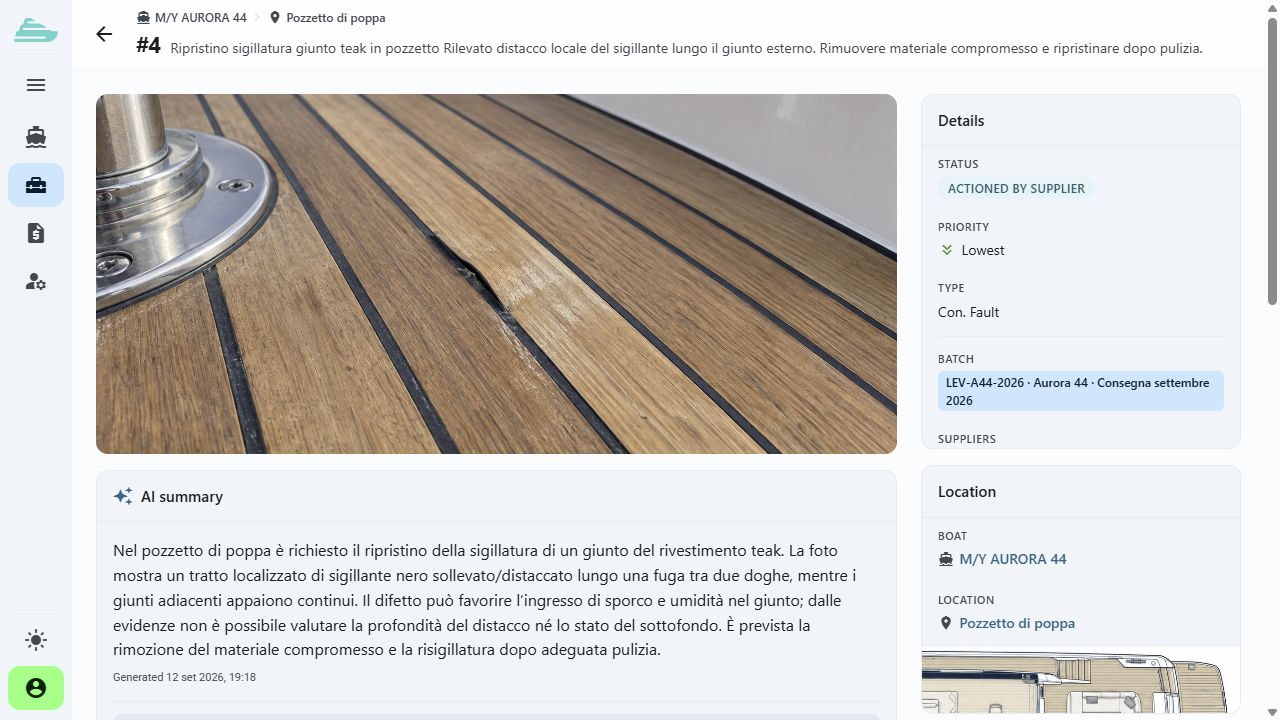
The AI summary brings together the information available for an intervention. Review the work record before sharing its content.
Operational workflow
Inside the product
Not an isolated screen: follow how data, people and decisions stay connected before, during and after the work.
Tell us how you currently manage work, quality and warranty cases. We will prepare a focused demo and define a practical first adoption path with you.