Assignments change across chats, spreadsheets and meetings.
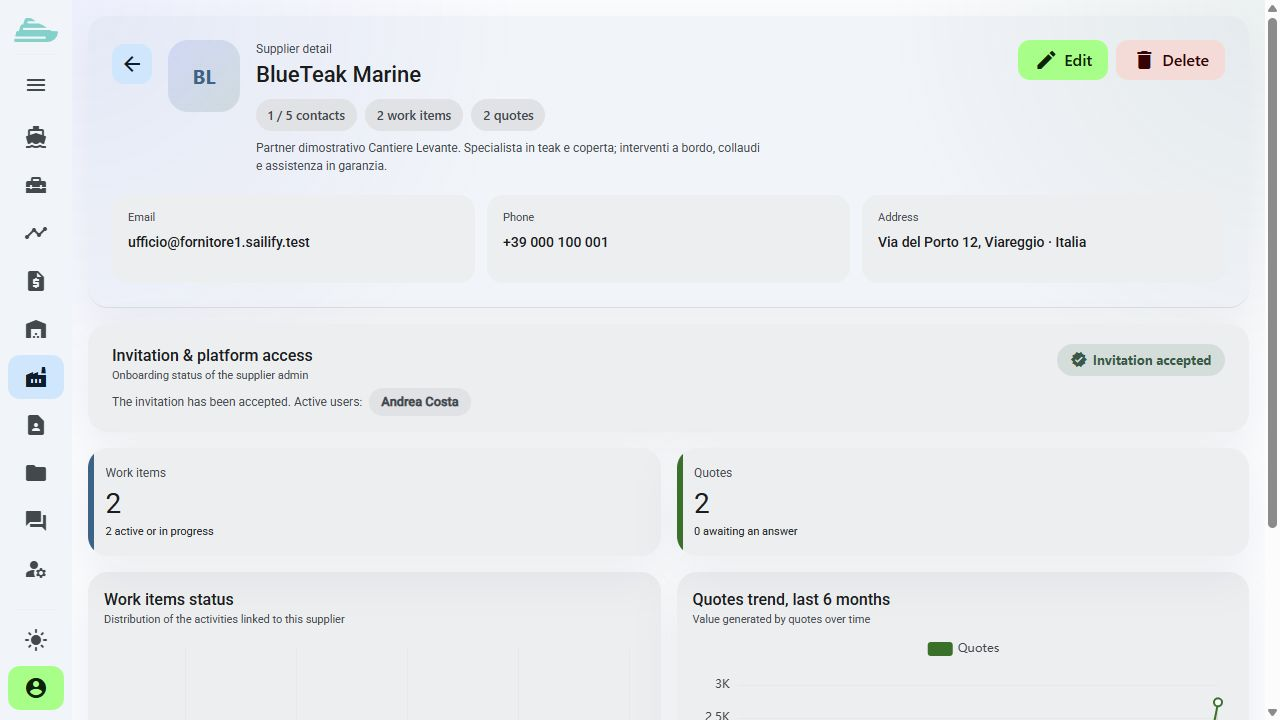
Each work item retains its responsible suppliers, dates and updates.
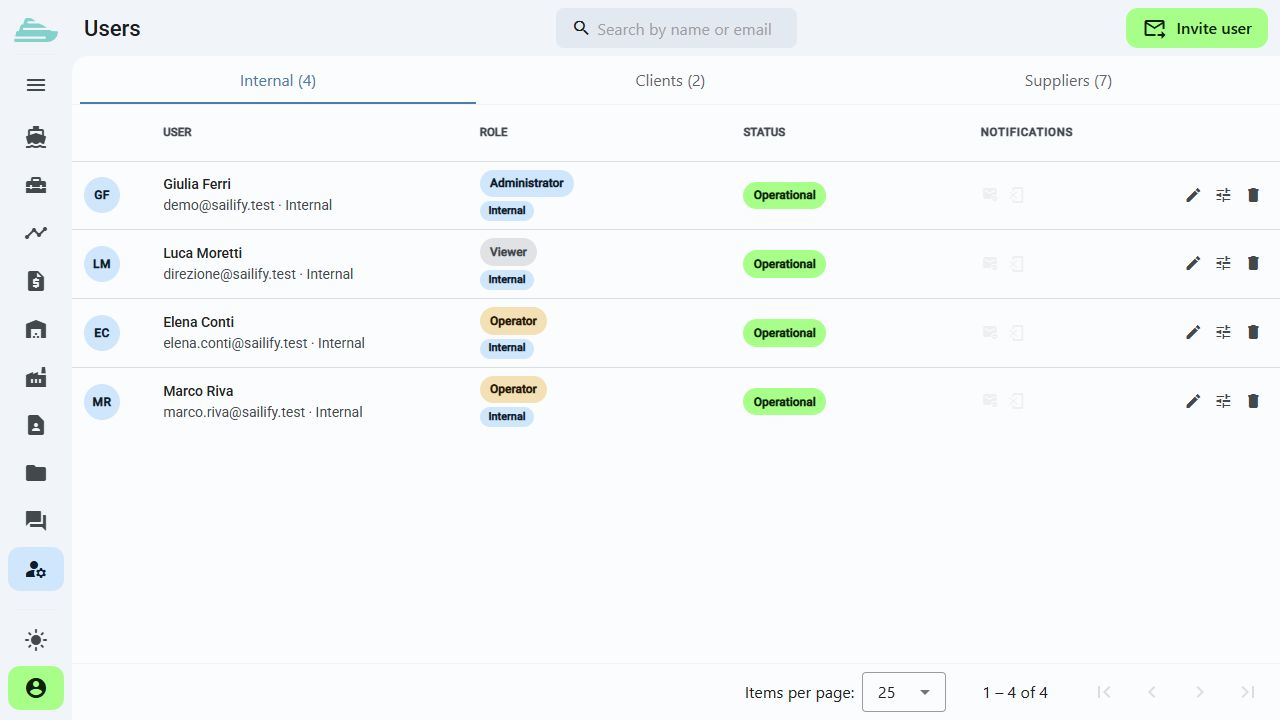
Assign interventions, organise dates and connect quotations and documents. Each supplier enters its own operational context while the shipyard retains the overall project view.
Build your tailored demoWe will build the demo around a typical project and assess a practical place to start.
The day-to-day problem
Assignments change across chats, spreadsheets and meetings.
Each work item retains its responsible suppliers, dates and updates.
The quotation is disconnected from the intervention under discussion.
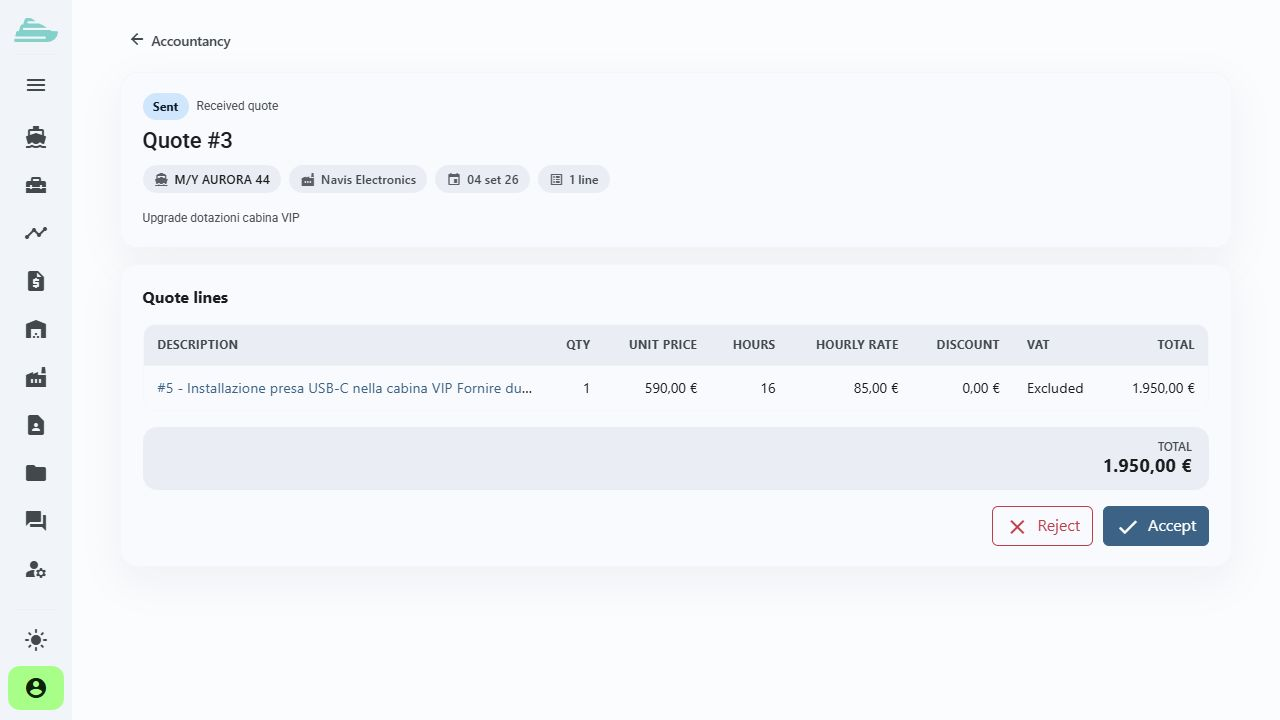
Proposals remain attached to work items and available in their context.
Technical staff search for the right document after reaching the yacht.
Files and drawings are available from the yacht, location or work item.
The workflow we will explore together
Create the yacht, configure onboard areas and contacts, then assign internal operators and suppliers.
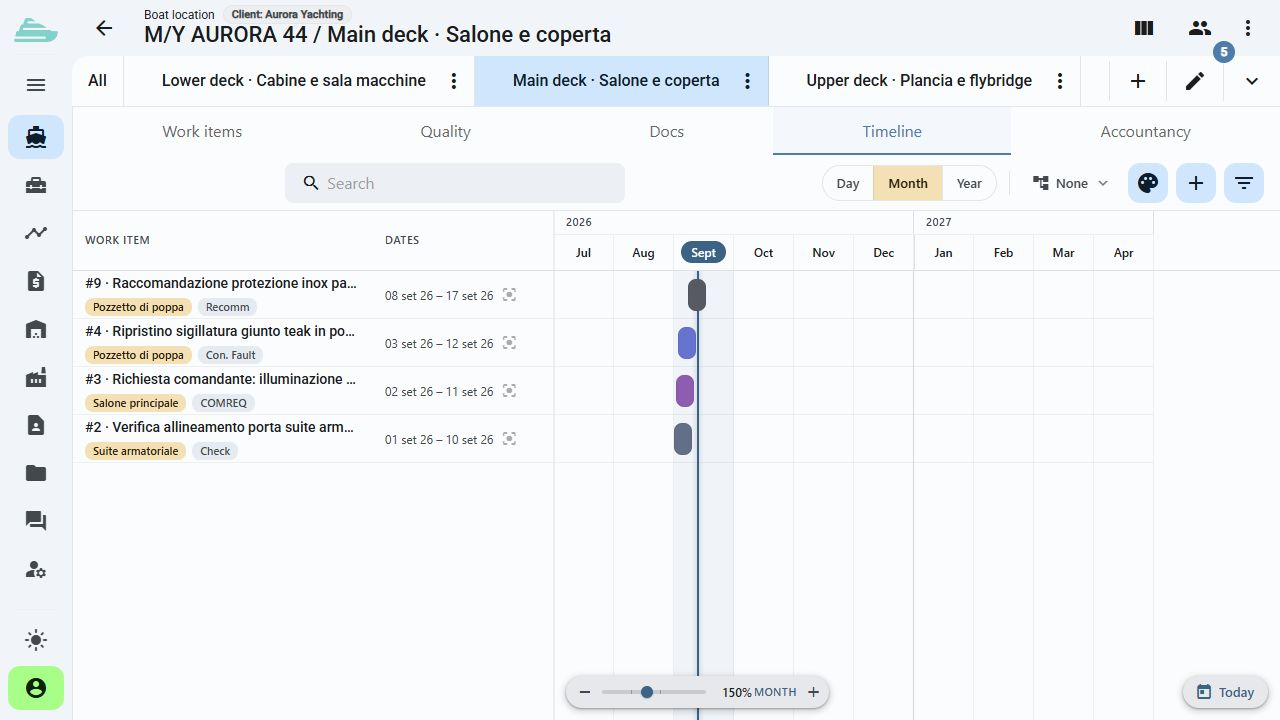
Explore this featureOrganise the work register and review the timeline when discussing the sequence of interventions.
Explore this featureReview requests and quotations in the accounts area, then reopen the connected work items to verify their scope.
Explore this featureThe next step
Tell us how many projects you run, which suppliers take part and how you currently organise interventions and quotations.
There is no online purchase. After the discussion, we define the scope, timing and commercial proposal that fit your organisation.
Book a demo · Shipyards and Refit
Before we talk
External access has a dedicated scope. Visible yachts, work items and data depend on each user's assignments and profile.
The cost area connects quotations and interventions. During the demo, we define how it can sit alongside your existing administrative systems and which data exchanges to assess.
The platform organises a fleet with separate contexts for each yacht. The plan and access model are sized according to the number of yachts and people involved.