01
Custom lists
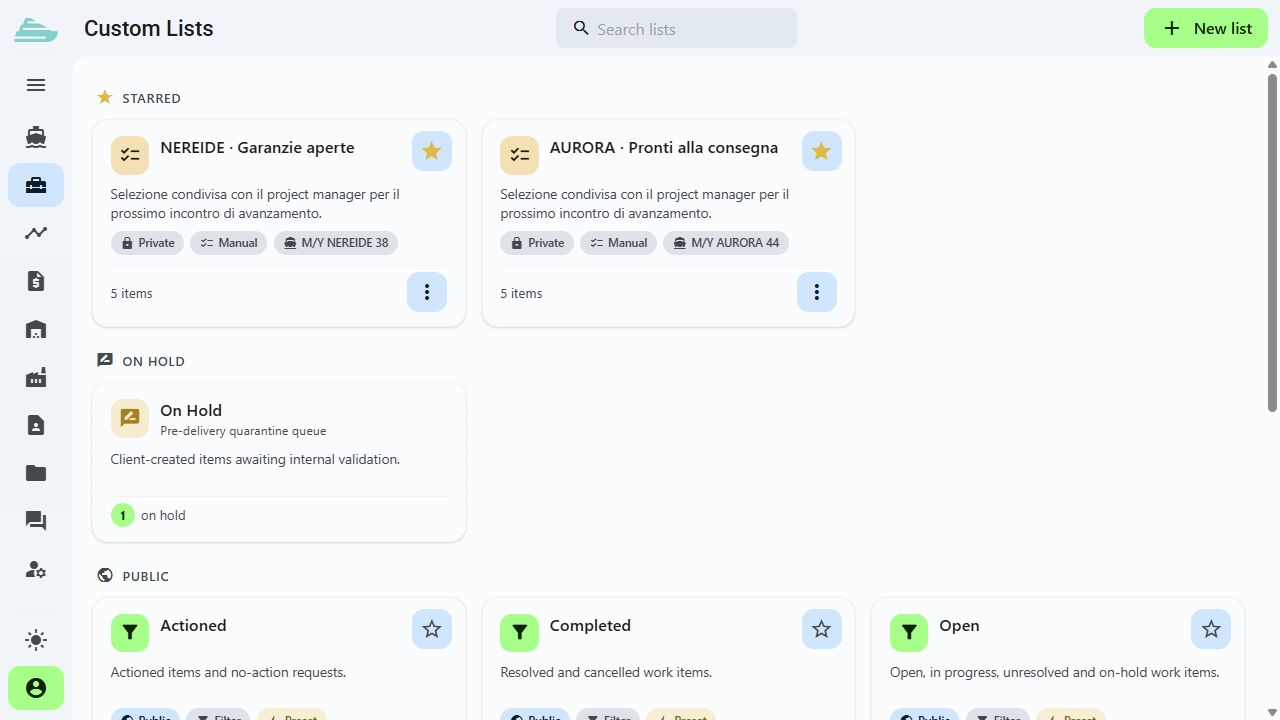
Create work item collections for a defined purpose, such as delivery, sea trial, client visit or a supplier intervention.
The right view for every meeting
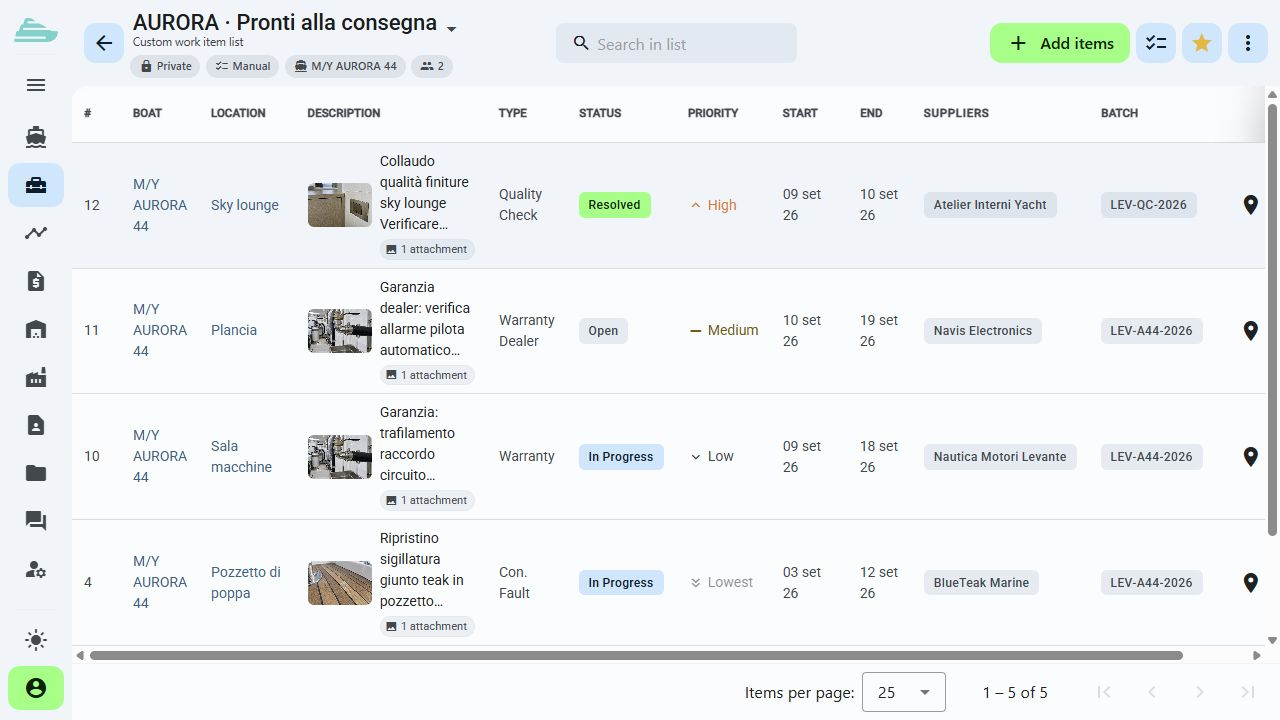
Prepare a delivery punch list, a survey list or the work to review with a supplier. Share selected items and generate reports while preserving their operational context.
See this workflow in a demoWhat you can do
Every meeting starts from a clear, shareable selection while the full detail of each work item remains available.
01
Create work item collections for a defined purpose, such as delivery, sea trial, client visit or a supplier intervention.
02
Manage list sharing and recipient permissions. Access rules for the underlying work items continue to apply.
03
Highlight the lists used most often or copy an existing list to prepare a new work stream.
04
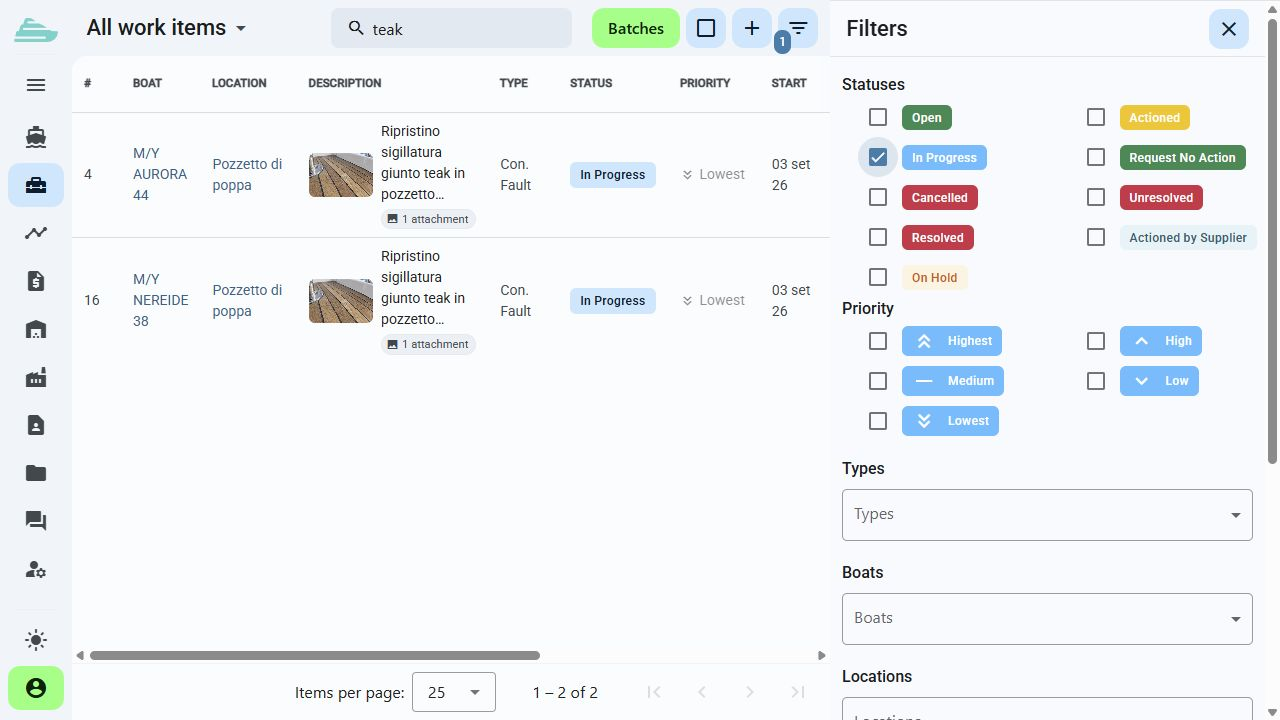
Combine type, status, priority, supplier and onboard area to focus on the work relevant to the next decision.
05
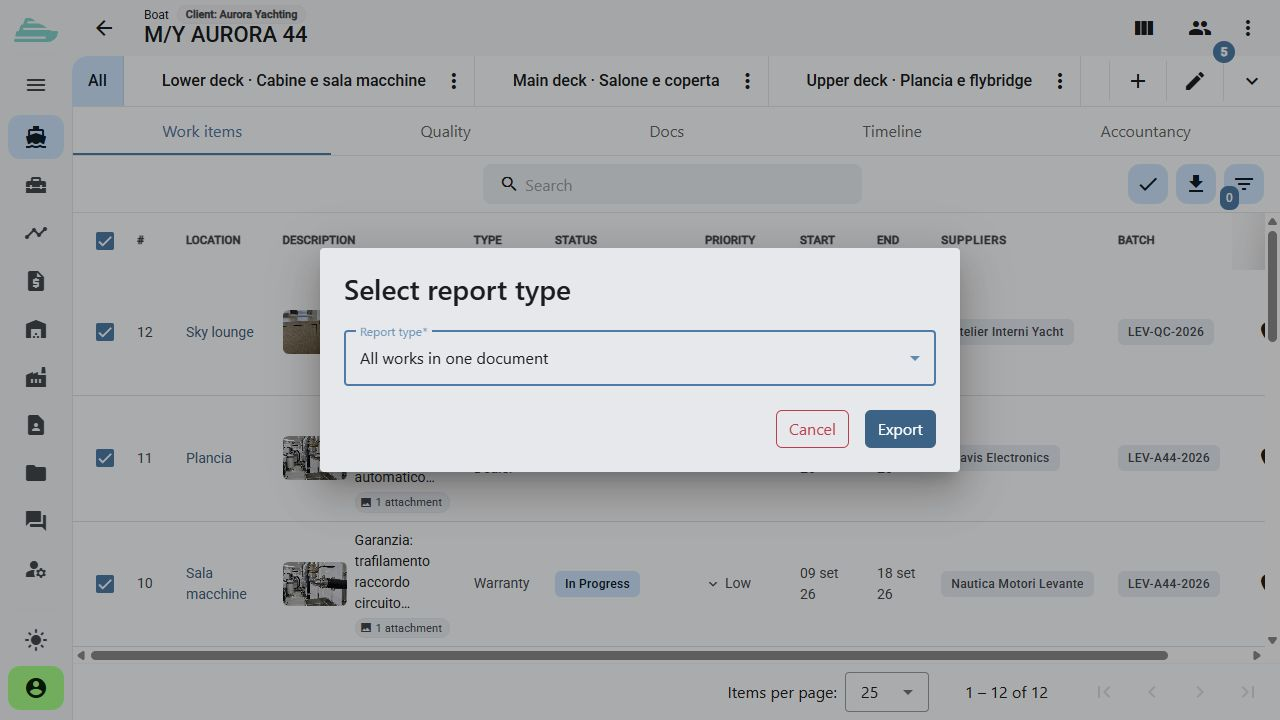
Generate work reports with photographs and supplier groupings while retaining references to every selected item.
06
The On Hold queue collects new client reports for assessment. The team can organise acceptance and subsequent work updates.
Operational workflow
Inside the product
Not an isolated screen: follow how data, people and decisions stay connected before, during and after the work.
Connected to the rest of the work
Platform
Use cases
Tell us how you currently manage work, quality and warranty cases. We will prepare a focused demo and define a practical first adoption path with you.